Editing a hologram on a screen that can't show you one.
Musubi turns ordinary photos and video clips into holographic memories for the 7-inch Musubi frame, using local AI to add the depth a flat photo doesn't have. The frame is the only screen that can actually show the result, which means every editing decision in the desktop app has to be made on a display that's lying to you, a little, on purpose.
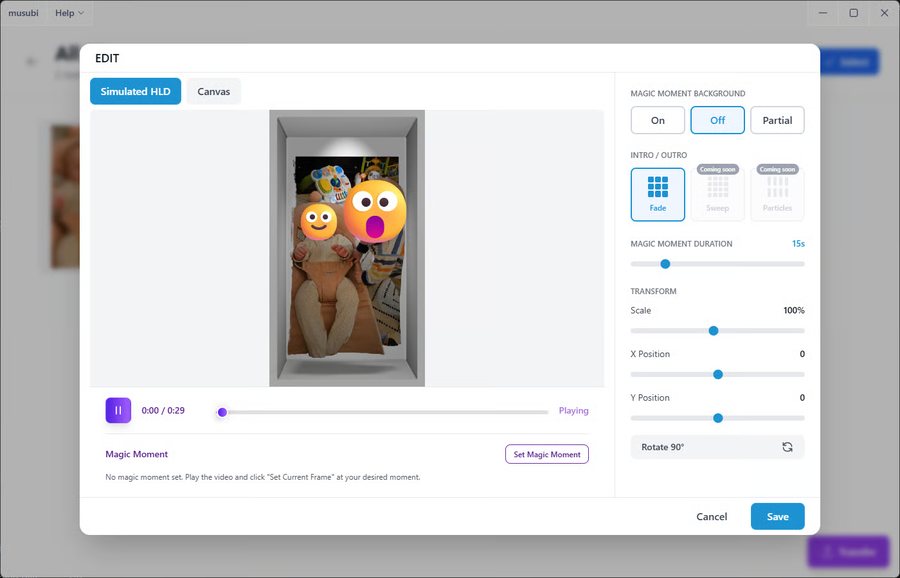 Edit screen: Simulated HLD vs. Canvas, Magic Moment controls
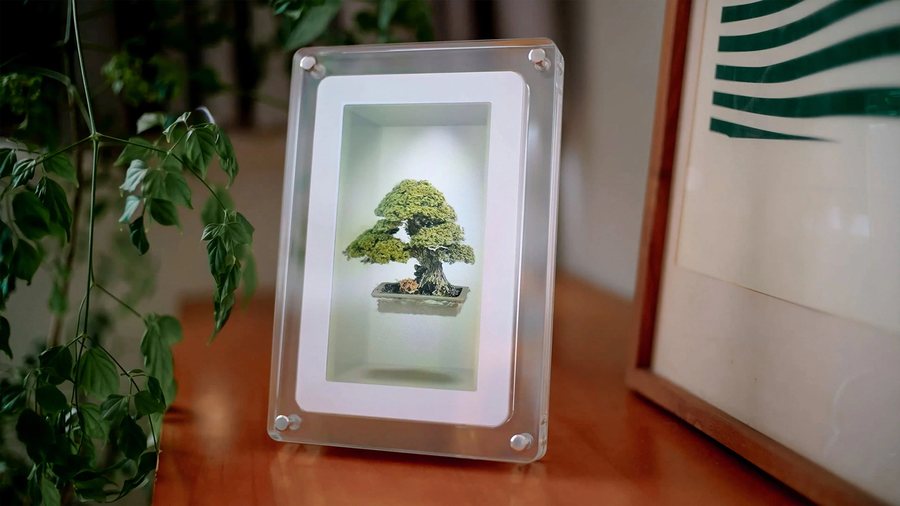 7″ Musubi frame: a bonsai hologram on display
A converter, not a filter.
Nothing about a flat photo actually contains depth. Musubi's desktop app reconstructs a volumetric scene from the source material using machine learning, including Gaussian splatting, the same radiance-field representation professional 3D-capture pipelines use, and it does it entirely on the machine in front of you. Nothing uploads to the cloud, there's no Wi-Fi setup gating the conversion, and a typical photo or clip finishes in seconds on ordinary consumer hardware. That's a heavier claim than a photo filter, and the interface has to carry the weight of a real reconstruction step rather than an instant preview.
Editing what the editing screen can't show.
A laptop display can't render a lightfield. So every editing decision (composition, background, motion) is being made partially blind, on hardware that physically cannot preview the thing it's producing. Musubi splits the difference with two honest preview modes instead of one dishonest one.
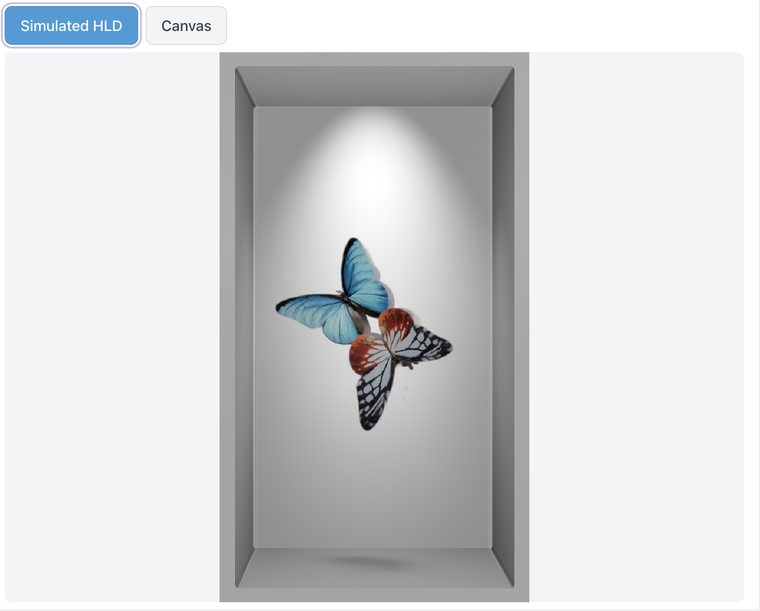
A best-effort approximation of how the piece will actually look on the frame, for judging depth and feel, with the honest caveat that it's a simulation, not the real thing.
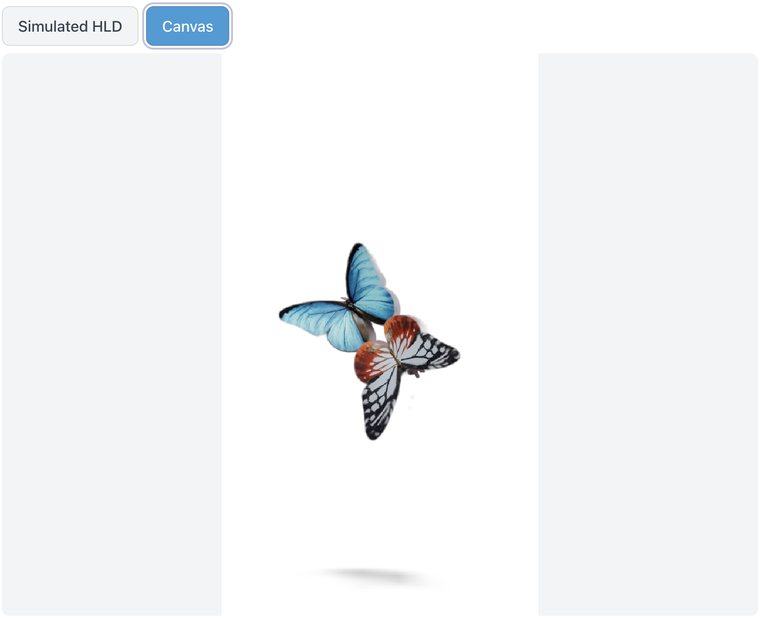
A flat, neutral view with the simulation switched off, for judging composition, cropping, and position without a depth guess influencing the decision.
Magic Moment: editing a held instant.
The frame doesn't play video the way a phone does; it holds a still hologram. So a 30-second clip needs to become one moment worth holding, not a looping window. Magic Moment turns that into an explicit editing step: scrub the timeline, pick the frame that's the memory, and it becomes its own holographic object, with its own background, duration, scale, position, and rotation, independent of the clip it came from.
A moment is chosen, not detected
No auto-picked "best frame." Scrubbing to the exact instant is a deliberate act, the same way choosing which print to frame from a roll of film always was.
Its own controls, not inherited ones
Once selected, the moment gets the identical control set as a photo (background, duration, scale, position, rotation) rather than borrowing settings meant for a playing clip.
An album that never touches your library.
An album in Musubi is a curated view into the library, not a second copy of it. Removing a photo from an album doesn't touch the original; deleting it from the library is a separate, deliberate, permanent action. For an app built entirely around handling people's family photos, that distinction is the whole trust model.
The frame is an appliance, not a monitor.
Musubi's frame connects over USB‑C for power and data; there's no HDMI, and it can't be driven as a second display. Content has to be explicitly transferred, which turns "save" into a real decision point rather than something that happens automatically in the background.
What carried over.
Three working principles from designing an editor for a display the editor itself can't show.
Two honest previews beat one confident one
Simulated HLD and Canvas each admit what they're not. A single "preview" mode would have had to lie in one direction or the other.
A still is not a clip with a trim handle
Magic Moment succeeds by treating the chosen frame as its own object, with its own controls, not as a special case of video editing.
Curation and storage are different jobs
An album that can't accidentally delete a memory is what lets people actually use the album feature on photos they can't replace.