Looking Glass Go
Go is Looking Glass's pocket-sized holographic display, a 6-inch screen that turns an ordinary phone photo into something with real depth. The mobile app is the only interface most people ever touch, and it has to make two very different technical processes, one automatic, one borrowed, feel like a single button.
Product video Looking Glass Go (2023) Watch on YouTube ↗One button, two pipelines.
The App Store description makes a single promise: shoot a photo, watch it become a hologram. Underneath that promise are two unrelated processes. A photo's depth is invented by an on-device AI model in under a minute. A video's depth has to already exist somewhere else, captured by the phone's own Cinematic Mode or generated by a separate tool, because the app has no video depth model of its own.
Three sliders to fix what the AI got wrong.
Automatic depth from a single 2D image is a guess, and the documentation says so outright: "the output of our AI depth generation may vary." The editing surface is small on purpose, three controls, because there's only so much a slider can repair after the fact.
- An ear separating from a dog's head, or a figure appearing to lose its neck in a crowd scene, when the depth guess misreads an edge.
- Foreground details like hats and whiskers routinely landing in the wrong depth layer.
- Pets often resolving to only two depth layers, reading as flat cutouts rather than volume.
- Well-lit photos with a clear subject against a simple background convert far more reliably, since the model leans on shading to infer depth.
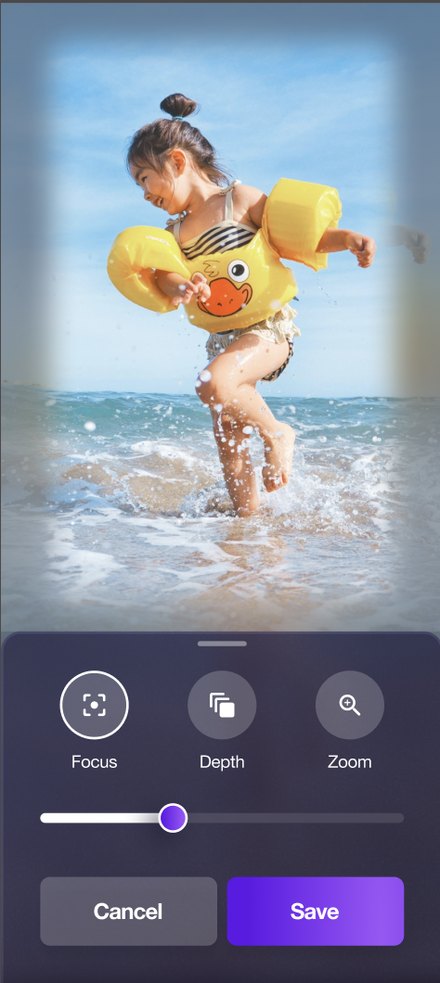 Edit screen: Focus, Depth, Zoom
The library lives in an account, not the phone.
A converted hologram doesn't stay a local file. It drops into a playlist inside Blocks, Looking Glass's account-based library shared between the mobile app and a desktop site. The Go display doesn't hold a static image, it holds a playlist assignment, and pulls updates automatically over WiFi whenever that playlist changes. The device also runs a second, wired mode: plugged into a computer over USB-C, it can be driven directly as Desktop Mode instead of syncing a playlist over WiFi as Standalone Mode.
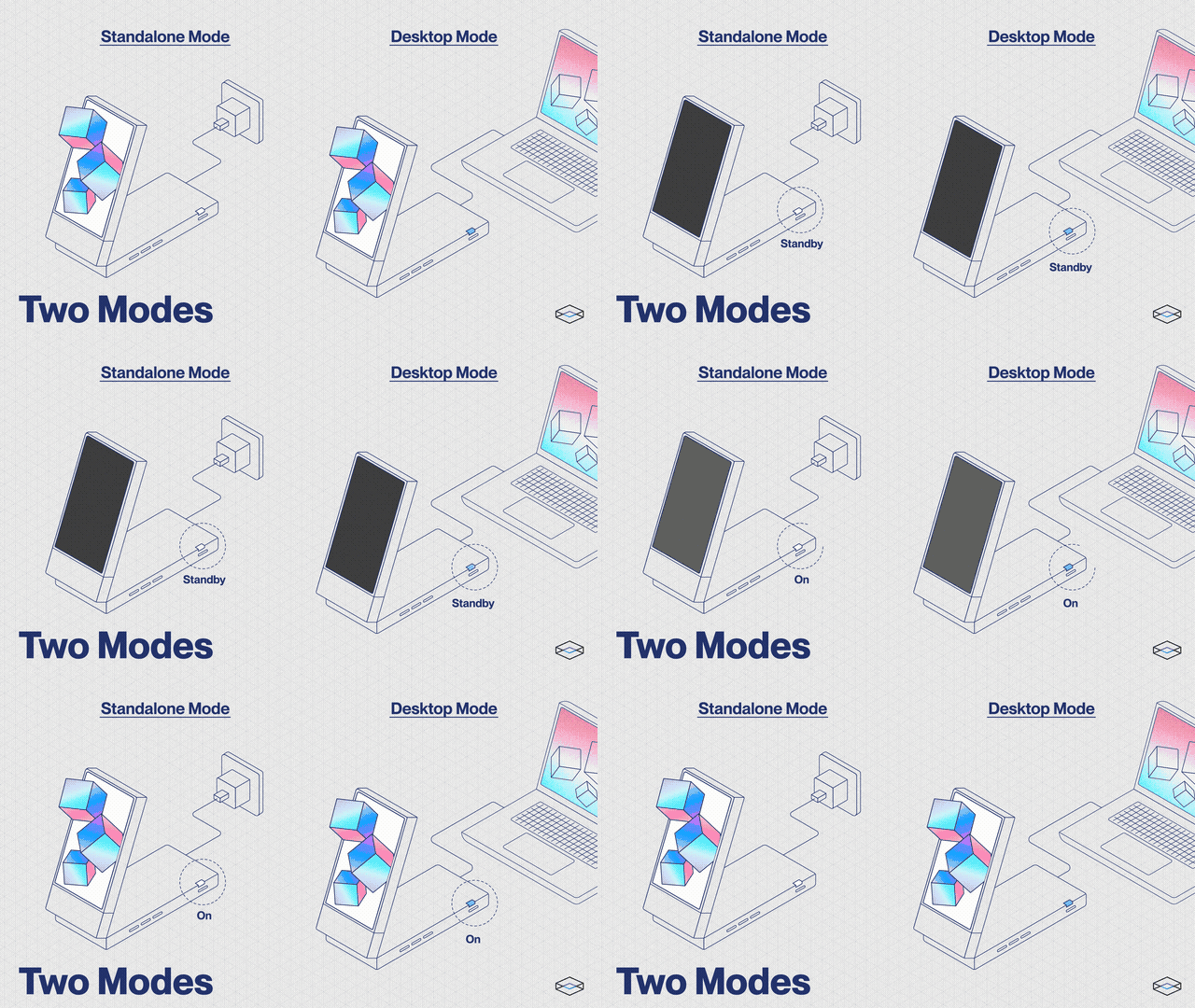 Standalone Mode (WiFi playlist sync) vs. Desktop Mode (wired to a computer)
Pairing has to narrate a long wait.
First setup pushes a firmware update over WiFi that the documentation estimates can take anywhere from five minutes to a full hour. A screen that's about to go unresponsive for up to an hour needs to say so up front, or the obvious read is that it's broken.
Hold the button for five seconds until the display shows "Ready to Pair."
Connect the display to WiFi from inside the app.
Firmware installs over WiFi, five minutes to an hour depending on the connection.
Display reboots ready to receive its first playlist.
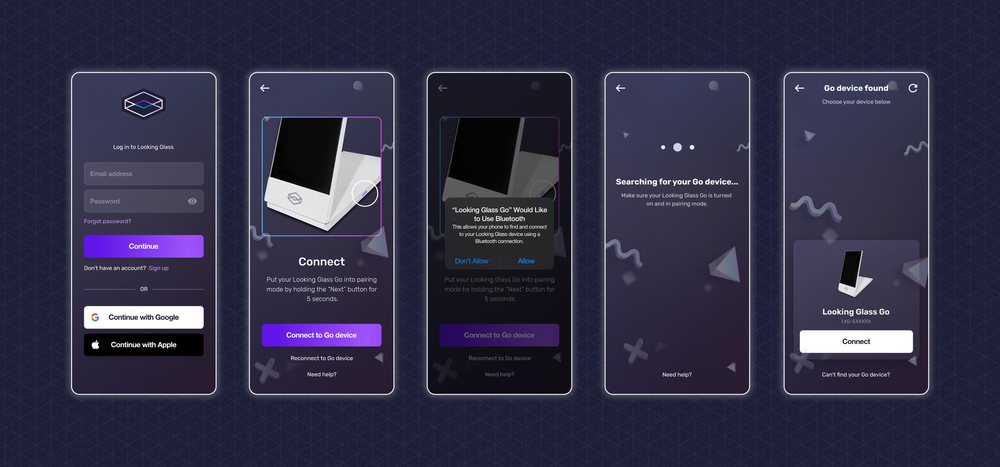 Login through Bluetooth pairing to device found
What carried over.
Three working principles that generalize past this one device.
Separate the guess from the given
A user shouldn't have to reverse-engineer which parts of a result were invented by a model and which were supplied. Naming that difference in the interface sets expectations before a slider has to fix them.
Keep the correction surface small and named
Three sliders with specific jobs beat a generic settings panel. Each one exists because a known, documented failure mode needed exactly that lever.
Treat sync as a background contract
The object on the shelf should always reflect the playlist assigned to it, not a button someone has to remember to press.